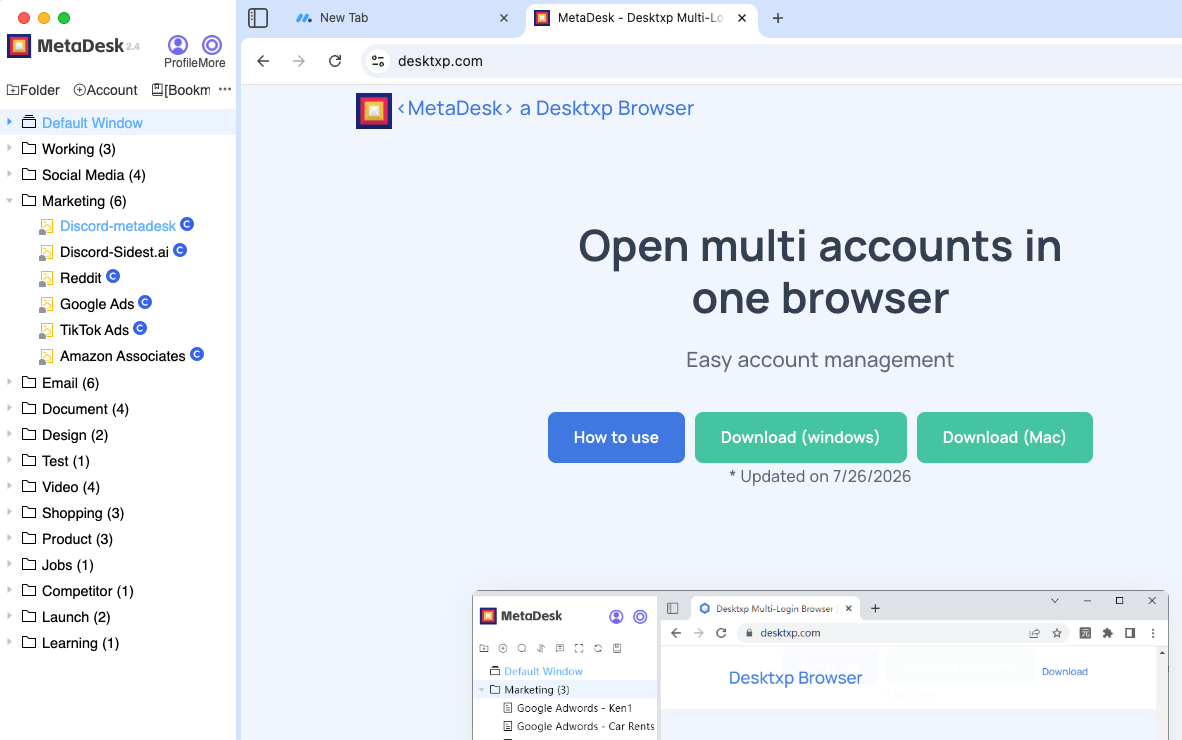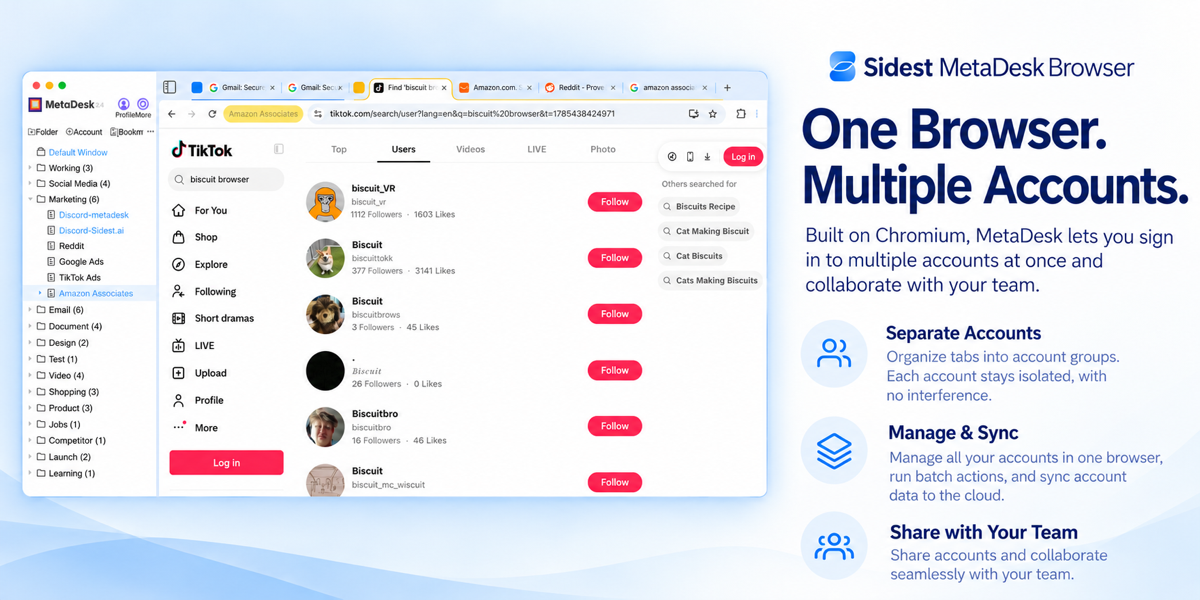
One Browser, Multiple Accounts

Built on Chromium. Manage multiple accounts simultaneously with cloud sync, team collaboration, and batch operations.

MetaDesk Browser

Core Capabilities

Account Isolation · Cloud Sync · Team Collaboration · Batch Operations
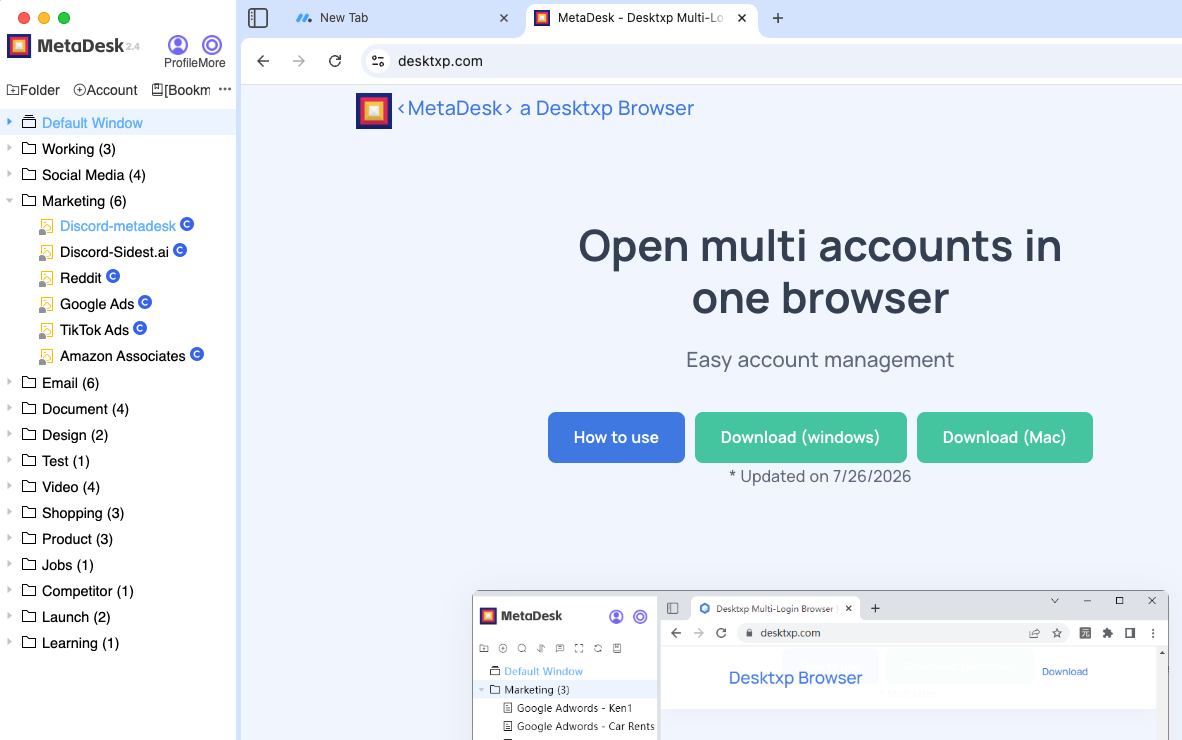
Multi-Session

Multi-Session

Run multiple accounts simultaneously in one browser with zero cross-contamination.

  • Manage social media, ad platforms, and store accounts all in one window
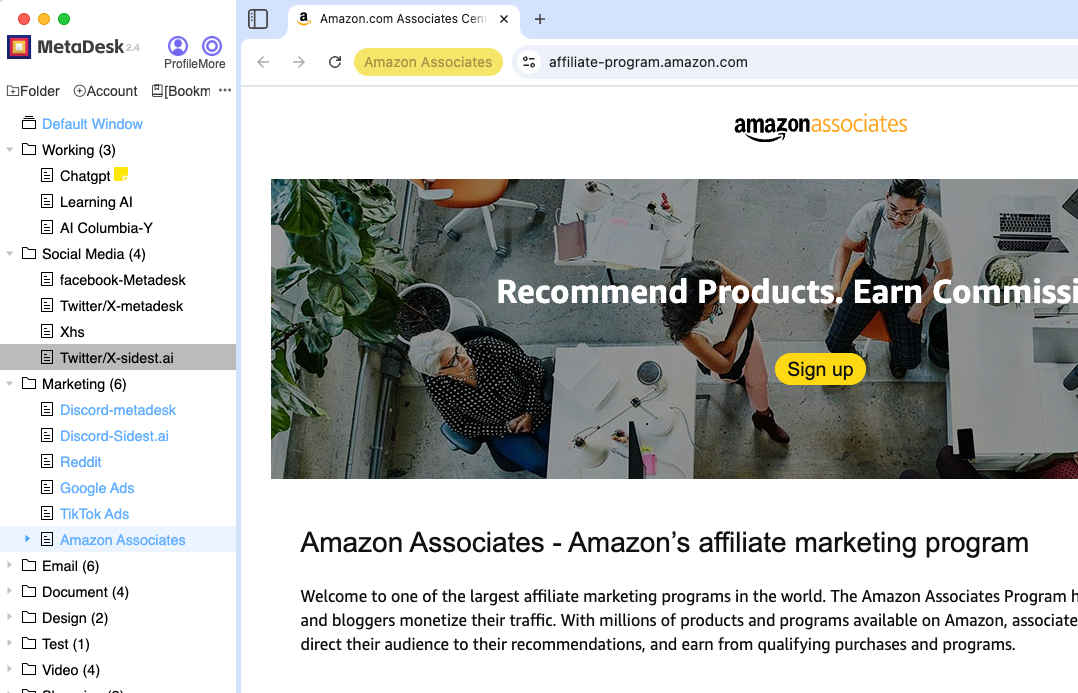
  • Tabs organized by account group for easy switching
  • Built on Chromium — same experience as Chrome, zero learning curve

Multi-Session

One browser, multiple accounts, no cross-contamination

Account Groups

Tabs organized by group, switch with one click

Cloud Accounts

Cloud-synced accounts, seamless device switching

Team Collaboration

Account sharing, permissions, and sync

Batch Management

Batch operations across accounts, double your efficiency

Account Isolation

Storage partition isolation, truly independent accounts

Use Cases

Covering e-commerce, social media, ad campaigns, and team collaboration — any multi-account scenario

Multi-Store E-Commerce

Manage stores across Amazon, Shopify, eBay, Walmart, and Etsy — each store gets its own account group with isolated sessions. Batch list products, update prices, and process shipments across all stores from a single browser. Switch between stores by clicking the corresponding account group.
Amazon Shopify eBay Walmart Batch Ops
Multi-Store E-Commerce

Social Media Matrix

Log in to Instagram, TikTok, X (Twitter), YouTube, LinkedIn, and more — all at once. Each platform's accounts are grouped independently with auto-organized tabs. Batch publish, schedule posts, and monitor analytics dashboards. Managing dozens of accounts is no longer a headache.
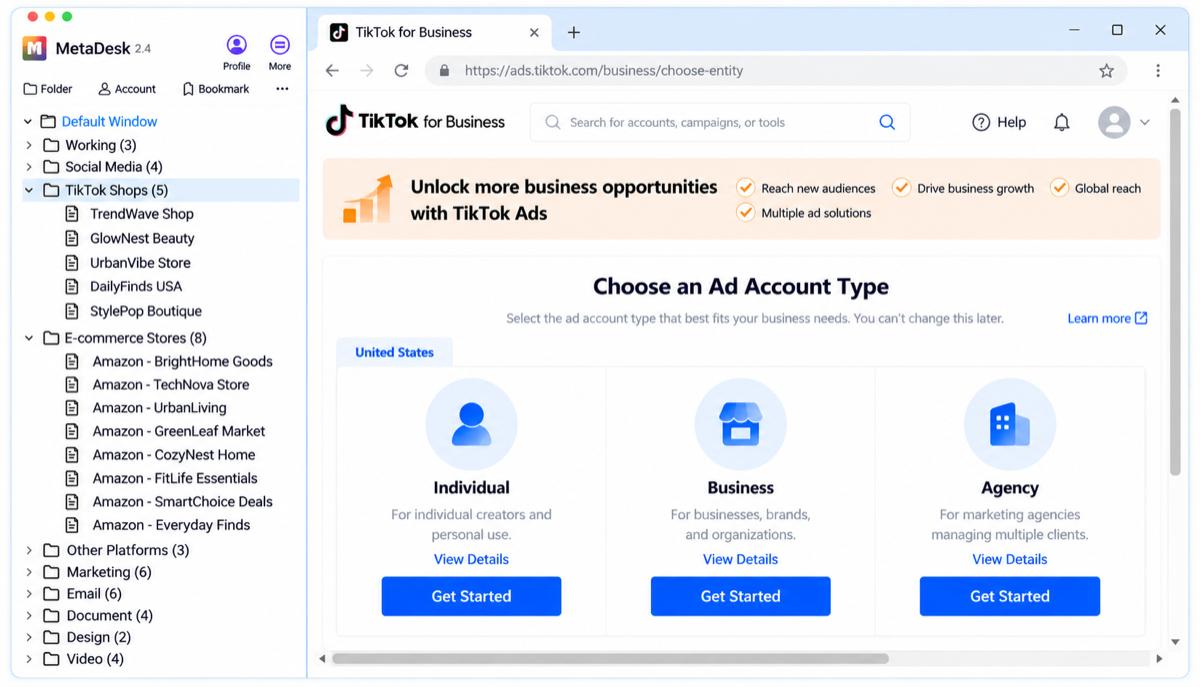
Instagram TikTok X / Twitter YouTube Matrix Mgmt
Social Media Matrix

Ad Campaign Management

Batch manage accounts across Google Ads, Meta Ads, TikTok Ads, Amazon Ads, and more. Group client accounts independently for clear data visibility. Batch create campaigns, adjust bids, and download reports — dramatically improving campaign efficiency.
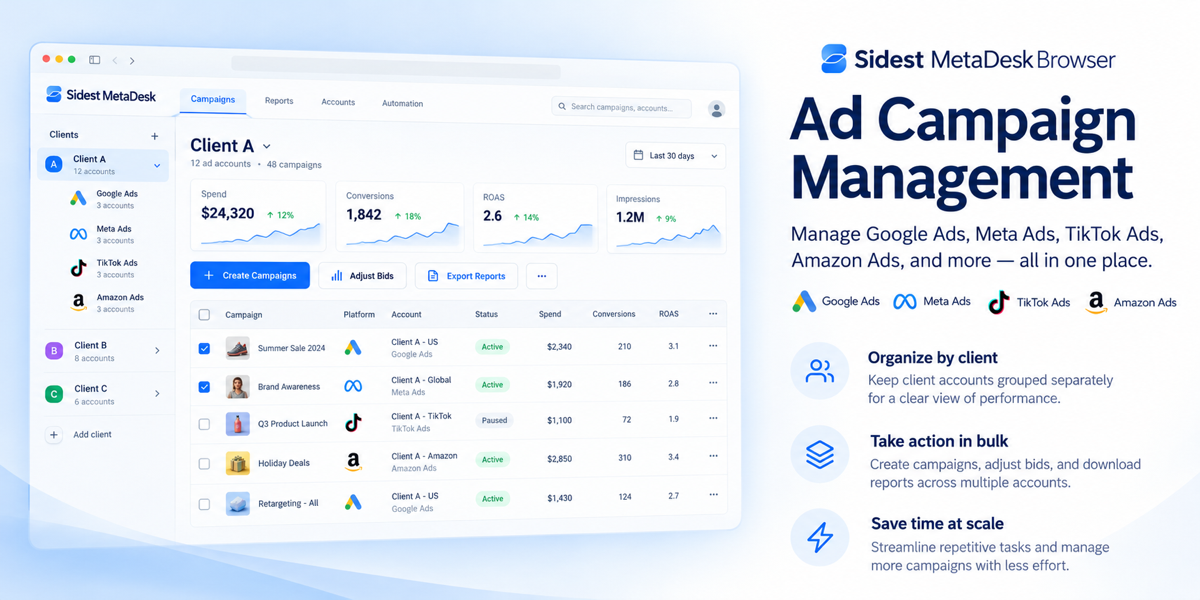
Google Ads Meta Ads TikTok Ads Amazon Ads Batch Mgmt
Ad Campaign Management

Team Collaboration

Share account resources across your team with tiered permission management and clear, auditable workflows. Creators manage account allocation; members use authorized accounts as needed. When team members leave, one-click handover ensures no accounts are lost. Full operation tracking keeps everything transparent.
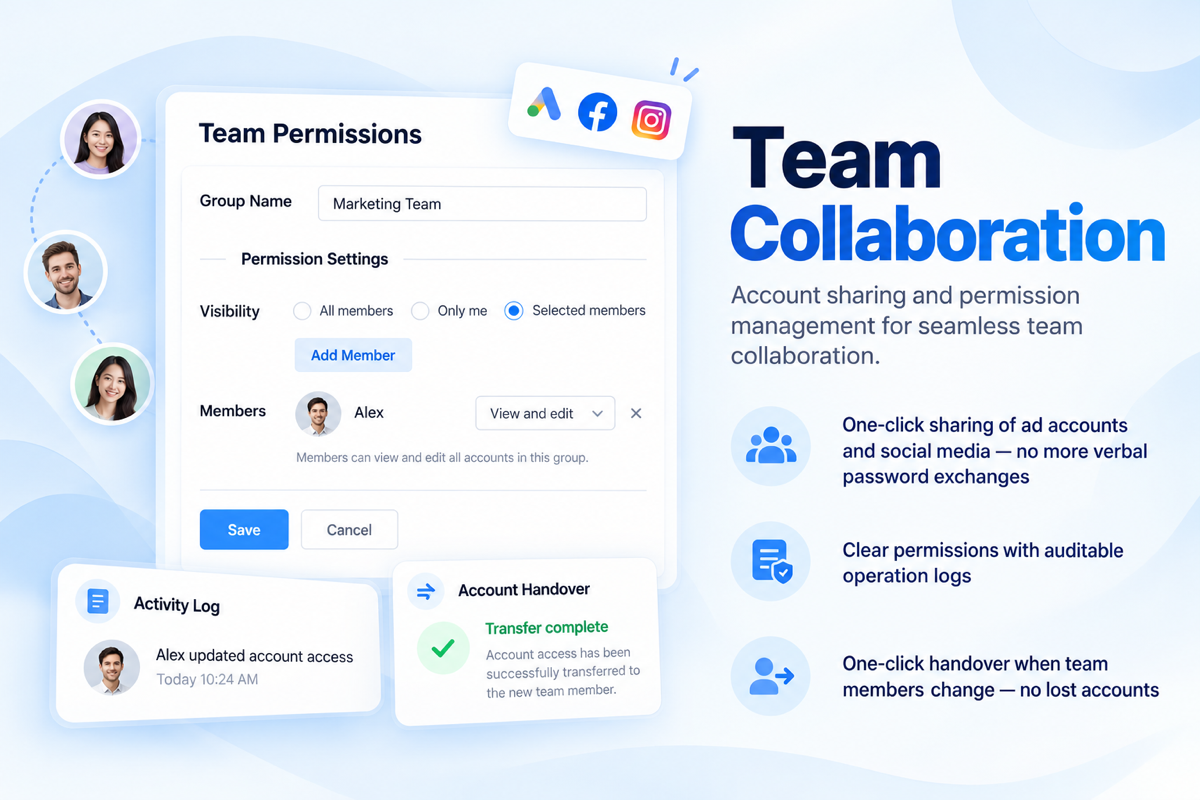
Account Sharing Permission Mgmt Audit Trail One-Click Handover
Team Collaboration

How We Compare

MetaDesk Browser vs Traditional Solutions

Feature MetaDesk Regular Browser Virtual Machine
Multi-account login ✓ ✗ ✓
Account grouping ✓ ✗
Cloud account sync ✓ Partial
Team collaboration & permissions ✓ ✗ ✗
Batch operations ✓ ✗ ✗
Storage partition isolation ✓ ✗ ✓
Resource usage Low Low High
Chromium-based ✓ ✓ ✗
100K+
Total Users
10K+
Team Accounts
1000+
Platforms Supported
99.9%
Service Uptime

Get Started in 3 Steps

From sign-up to multi-session — just a few minutes

1

Create an Account

Visit our website and sign up for free with your email. No complicated setup required.

2

Create Account Groups

Create groups by business scenario, batch import accounts, and organize everything in one click.

3

Start Multi-Session

Open MetaDesk Browser — all your accounts logged in simultaneously, working without interference.

What Users Say

Real feedback from e-commerce, social media, and advertising teams

Managing 20 stores used to require a dozen of browser windows. Now MetaDesk handles everything — switching stores takes seconds. Our team efficiency has more than doubled.
Mike R.
Mike R.
E-Commerce Operations Lead
Account association is the biggest risk in social media matrix management. MetaDesk's storage partition isolation lets us confidently manage 50+ accounts with zero cross-contamination.
Sarah K.
Sarah K.
Social Media Manager
The team collaboration feature is incredibly practical. One-click account assignment, clear permissions with audit trails, and no more worrying about lost accounts when someone leaves.
David T.
David T.
Digital Marketing Agency

Secure & Compliant

From architecture to data transmission, MetaDesk protects your accounts and data at every level.

  • Storage partition isolation — cookies and cache fully independent per account
  • Encrypted credential storage with TLS-encrypted cloud sync
  • Built on Chromium — inherits Chrome's security mechanisms
  • Auditable operation logs with tiered team permissions

Data Encryption

AES-256 encrypted storage with locally managed keys

Privacy Protection

GDPR-compliant — no user browsing data collected

Continuous Updates

Follows Chromium security patches for timely vulnerability fixes

FAQ

Common questions about MetaDesk Browser

MetaDesk is built on the Chromium engine, so the browsing experience is identical to Chrome. The key difference is support for simultaneous multi-account login without cross-contamination, account group management, cloud sync, team collaboration, and batch operations — features regular browsers simply cannot offer.
MetaDesk uses storage partition isolation — each account group has completely independent cookies, cache, and login sessions, effectively creating separate browser environments. Platforms cannot detect multi-session usage; the security level is equivalent to using multiple physical devices.
Currently supports Windows 10/11 and macOS 12.7.6+. Account data syncs via the cloud, so switching devices requires no reconfiguration.
The free version supports basic multi-session and account group features for personal daily use. Advanced features like team collaboration and batch management require a premium upgrade. Detailed feature comparisons are available after registration.
Credentials are stored with AES-256 encryption, and cloud sync uses TLS-encrypted transmission. We never collect or access user browsing data, fully compliant with GDPR privacy requirements. Encryption keys are managed locally by the user — even if our servers were compromised, your data would remain encrypted.
You can reach our support team via the WeChat QR code at the bottom of this page, or join our QQ group 284946278. We respond during business hours (9:00–18:00 on weekdays), and you can leave a message anytime for urgent issues.

Download MetaDesk Browser

Choose your version and start managing accounts efficiently

Windows

Supports Win10 / Win11

Download Now

Mac & Other

macOS and other platforms

Download Now

Sign Up

Free registration, start instantly

Sign Up Free