Instead of a ranked list of unverifiable claims, this review gives you a repeatable evaluation framework: what isolation must separate, how to test it, and which operational criteria decide whether a tool fits a team.
Why isolation software evaluation matters for multi-account teams
A browser profile isolation software review 2026 is more useful as a method than as a verdict. Isolation is a claim about persistent state: cookies, cache, local storage, saved bookmarks and extension data should belong to one profile and stay there across restarts and handovers. A review that only checks whether two windows open side by side has not tested the thing that matters.
Most teams shortlisting tools do not set out to solve isolation software evaluation as a standalone project. It appears as a side effect of growth: another storefront, another client workspace, another campaign login. Once several people touch the same set of accounts, the small habits that worked for a handful of profiles stop being reliable, and reviewing browser profile isolation software becomes part of the operating routine rather than an occasional task.
The underlying issue is state. Cookies, cached assets, local storage, saved bookmarks and extension data all persist between visits, and a conventional browser assumes that persistence is helpful. For a team running many accounts in parallel, the same persistence creates ambiguity about which context is active. Treating isolation software evaluation as a documented workflow removes that ambiguity before it turns into rework.
- One isolated profile per account, with separate cookies, cache, local storage and bookmarks.
- One recorded proxy route per profile, reviewed whenever the account's region changes.
- Role-based permissions that match what each teammate actually does.
- Cloud sync so the workspace does not depend on a single laptop.
- Batch launch to remove repetitive opening and closing of profiles.
- A written owner for every account and a short handover note.
A short definition
For this guide, isolation software evaluation means the documented set of conventions that keep browsing state, network routes and human permissions attached to the right account. It is a process, not a single setting.
Defining it this way makes the rest of the article testable: each section below describes something you can check in a workspace rather than a claim you have to take on trust.
- One isolated profile per account, with separate cookies, cache, local storage and bookmarks.
- One recorded proxy route per profile, reviewed whenever the account's region changes.
- Role-based permissions that match what each teammate actually does.
How reviewing browser profile isolation software works in a Chromium-based workspace
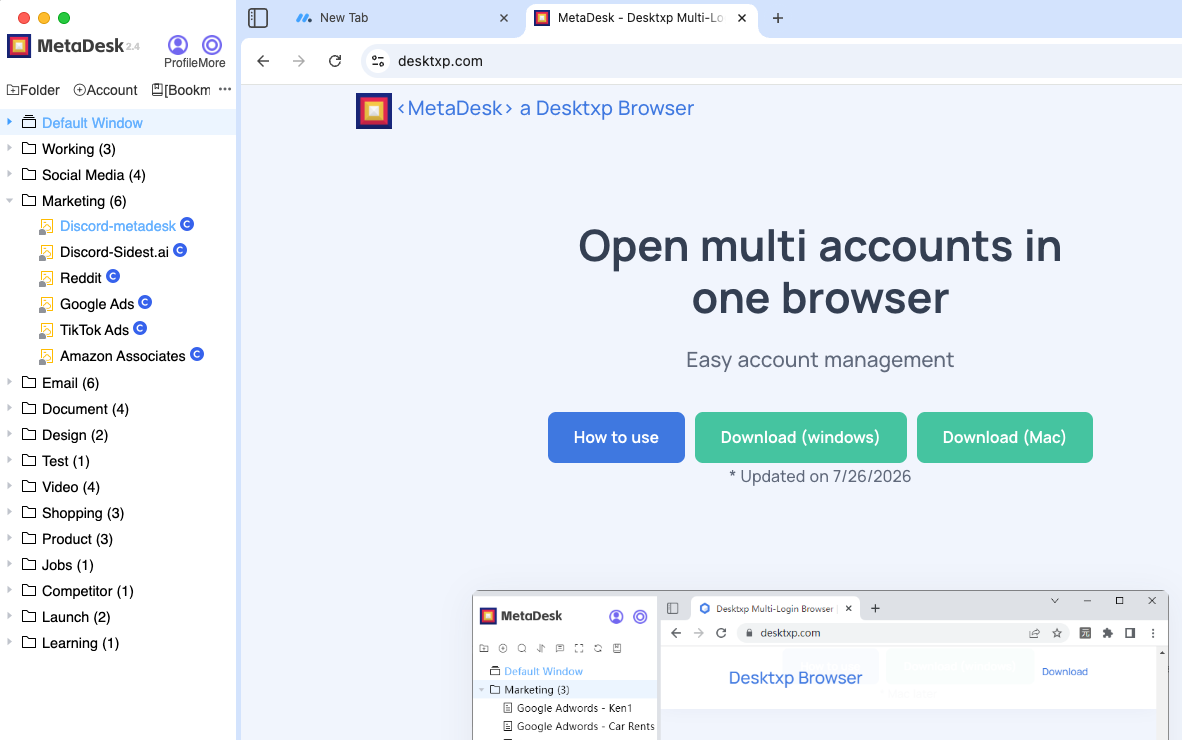
We therefore publish criteria and test procedures, not competitor scores. For each shortlisted tool, confirm the feature set on official documentation, then run the same isolation test with two real accounts and a second device. MetaDesk's stated capabilities are used here only as an example of the criteria: isolated sessions, cloud account sync, team collaboration with roles, batch launch and management, per-profile proxy settings, ad campaign management, bookmark management, Windows and macOS clients, and free registration.
In practice, reviewing browser profile isolation software starts with one profile per account and a naming convention the whole team can read. The profile is the unit that holds the session, the bookmarks and the proxy route. Once that unit is defined, batch launch and management can act on dozens of profiles at once without collapsing their boundaries.
Cloud sync then makes the workspace portable: profiles and their settings follow the account rather than a single machine. Role-based permissions decide who may open, edit or launch each profile, and activity can be reviewed when ownership changes. Together these pieces make isolation software evaluation auditable, which is the difference between a habit and a process.
- Chromium rendering keeps pages familiar for new teammates.
- Isolation covers persistent state, not just separate windows or tabs.
- Bookmark management keeps each account's shortcuts in the right profile.
- Ad campaign grouping organises logins by client or brand.
- Windows and macOS clients share the same workspace model.
Why the profile is the right unit
Profiles are the smallest thing that can hold session state, a bookmark set, a proxy route and a permission at the same time. Making them the unit of configuration keeps isolation software evaluation understandable for a new teammate.
Group profiles by client or brand for batch work, but keep the individual profile as the place where settings live. Grouping is for convenience; isolation is per profile.
- Chromium rendering keeps pages familiar for new teammates.
- Isolation covers persistent state, not just separate windows or tabs.
- Bookmark management keeps each account's shortcuts in the right profile.
How to evaluate options for isolation software evaluation
Any criterion that cannot be checked in a trial belongs in the 'confirm on official docs' column. That includes plan limits, data residency details and export formats. Keeping those separate from observed behaviour is what makes a review honest and reusable next year.
For isolation software evaluation, the decisive rows are usually the boring ones: what isolation actually separates, whether sync preserves settings across devices, and how quickly a new teammate can work without help.
- Weight criteria before looking at any product.
- Confirm plan limits and prices only on official pages, with the date noted.
- Use the same two-account trial script for every candidate.
- Separate observed behaviour from documented claims.
- Do not copy competitor specifications you cannot verify.
| Criterion | What to verify | Where to confirm |
|---|---|---|
| Session isolation | Cookies, cache, local storage and bookmarks are separate per profile | Two-account trial and official docs |
| Cloud sync | Profiles and settings appear unchanged on a second device | Handover test on another machine |
| Roles and permissions | Launch, edit and export rights can be granted separately | Official docs plus a colleague in the trial |
| Batch management | A group of profiles can be launched and updated together | Timed batch-launch test |
| Per-profile proxy | Each profile keeps its own recorded network route | Configuration screen and mapping table |
| Platform support | Windows and macOS clients share the workspace model | Official download and version notes |
| Export and recovery | A profile export can be restored after a device change | Scheduled restore test |
| Commercial terms | Current plans, limits and prices | Official pricing page, with the date checked |
Keeping the review honest
Write the source next to every score. 'Observed in trial', 'confirmed on official documentation on this date' and 'unverified' are three very different answers, and conflating them is how a comparison quietly becomes marketing.
If a candidate cannot be tested for a criterion, leave the row blank rather than filling it with an assumption. A blank row is a useful to-do; a guessed score is a future correction.
- Weight criteria before looking at any product.
- Confirm plan limits and prices only on official pages, with the date noted.
- Use the same two-account trial script for every candidate.
Common mistakes with reviewing browser profile isolation software and how to fix them
Most multi-account problems are configuration mistakes rather than product failures. They tend to be small, reasonable shortcuts taken when the team was busy, and they become expensive only after the account count grows. Naming them explicitly is the cheapest prevention available.
The fixes below are deliberately unglamorous: a naming convention, a written proxy mapping, least-privilege roles, and a restore test. None of them require new tooling, which is why they are so often postponed.
- Fix the template, not just the single profile that failed.
- Record why an exception exists and when it should be reviewed.
- Re-test isolation after any client update or device change.
- Keep the review short enough that it actually happens weekly.
| Mistake | Why it hurts | Fix |
|---|---|---|
| Reusing one profile for several accounts | Shared cookies and local storage make sessions ambiguous | One isolated profile per account |
| Choosing proxy routes from memory | Two operators pick different routes for the same account | Record the mapping in the access policy |
| Leaving permissions wide open | Access survives role changes and offboarding | Least privilege plus a monthly review |
| Naming profiles after people | Names stop making sense after a reorg | Name after client, brand, platform and role |
| Treating sync as a backup | A sync error has no point-in-time recovery | Schedule exports and test a restore |
Turning fixes into defaults
Whenever you correct a profile, ask what would have prevented the mistake. Usually the answer is a template, a required field in the naming convention or a step in the handover checklist.
Update the default and note the change in the access policy. That is how a one-off cleanup becomes a lasting improvement to reviewing browser profile isolation software.
- Fix the template, not just the single profile that failed.
- Record why an exception exists and when it should be reviewed.
- Re-test isolation after any client update or device change.
Metrics that show whether isolation software evaluation is working
The most telling metric is usually time to first correct launch for a new teammate. It captures naming, permissions, proxy mapping and onboarding in one number. If it does not improve after the rollout, the process has not landed even if the settings look tidy.
Pair quantitative measures with a short weekly note about what felt confusing. Numbers show whether something changed; the note explains why, which is what lets you fix the right thing.
- Measure a baseline before changing anything.
- Prefer rates and times over raw counts.
- Ask operators what still feels confusing each week.
- Repeat the same measurement two weeks after rollout.
| Metric | What to compare | How to collect |
|---|---|---|
| Time to first correct launch | New teammate before vs after rollout | Stopwatch during onboarding |
| Profiles with a recorded owner | Percentage of total profiles | Monthly workspace review |
| Mapping reviews completed | Percentage of routes reviewed this month | Mapping table with dates |
| Handovers needing help | Count per week | Short weekly team note |
| Recovery time | Minutes to restore a profile from export | Scheduled restore test |
What a good baseline looks like
A baseline does not need to be precise. Time one onboarding session, count how many profiles have a recorded owner, and note how many handovers needed help last week. Three rough numbers are enough to show whether the change helped.
Keep the same definitions at the follow-up. If you change what counts as a handover between measurements, the comparison tells you nothing about isolation software evaluation.
- Measure a baseline before changing anything.
- Prefer rates and times over raw counts.
- Ask operators what still feels confusing each week.
When to change the process
If two weeks of measurement show no improvement, look at the step people skip rather than the tool. In most teams that is the ownership record or the proxy mapping, and both are documentation problems with documentation fixes.
Change one thing at a time and measure again. Stacking several process changes at once makes the next result impossible to interpret.
- Measure a baseline before changing anything.
- Prefer rates and times over raw counts.
- Ask operators what still feels confusing each week.
Pre-scale checklist for isolation software evaluation
The point of a pre-scale review is not to produce a document. It is to make sure that a teammate who did not build the workspace can still operate it safely. Read each line as if you were that person on their first day.
Where a check depends on a person rather than a setting, name the person. isolation software evaluation is easiest to maintain when responsibility is explicit and reviewable.
- Every profile has a name following the documented convention.
- Every profile has a recorded owner and second-factor holder in your policy.
- Every profile has one proxy route, and the mapping has been reviewed this month.
- Roles follow least privilege, with exceptions recorded and dated.
- Cloud sync is enabled and a scheduled export has been restored once.
- Isolation was verified with two profiles launched together.
- A joiner and leaver checklist exists and has been used at least once.
| Check | What good looks like | Owner |
|---|---|---|
| Naming convention | Every profile follows client-brand-platform-role | Workspace admin |
| Proxy mapping | One route per profile, reviewed this month | Account owner |
| Permissions | Least privilege, exceptions dated and owned | Team lead |
| Sync and export | Sync on, export scheduled, restore tested | Workspace admin |
| Isolation | Two-profile launch shows no shared state | Operator |
Making the review stick
Put the checklist in the same place as the access policy and give it a recurring owner. A checklist that depends on someone remembering to open it will be opened twice.
Keep failed rows visible until they are fixed. Hiding them makes the review feel complete while the underlying isolation software evaluation problem remains.
- Every profile has a name following the documented convention.
- Every profile has a recorded owner and second-factor holder in your policy.
- Every profile has one proxy route, and the mapping has been reviewed this month.
Windows and macOS: deployment notes
Mixed Windows and macOS teams do not need different policies; they need the same policy applied twice. Keep the naming convention, proxy mapping and role definitions identical across platforms, and verify them once on each client after installation.
Use the official installer for each operating system and keep clients updated together. A version mismatch is a surprisingly common explanation for a setting that appears in one place but not another, and it is easy to rule out early.
- Use the official installer for each operating system.
- Keep Windows and macOS clients updated together.
- Apply one written policy on both platforms.
- Verify isolation and sync once on each client after installation.
- Install from the official sourceUse the official Windows or macOS installer and record the version you deployed on each machine.
- Re-create the pilot profilesSet up two profiles with distinct bookmark sets and proxy routes, mirroring the conventions used on the other platform.
- Run the isolation checkLaunch both profiles together and confirm neither sees the other's saved state after a restart.
- Confirm sync across devicesOpen the workspace from the other platform and verify profiles, routes and permissions appear unchanged.
One policy, two clients
Differences between platforms should be limited to installation and version notes. Conventions, ownership records and role definitions belong in a single document that both Windows and macOS users follow.
If a setting appears on one client but not the other, check versions first. Most apparent cross-platform differences are update gaps rather than product limitations.
- Use the official installer for each operating system.
- Keep Windows and macOS clients updated together.
- Apply one written policy on both platforms.
See it in action

Frequently asked questions
Does MetaDesk Browser (Sidest Browser) support both Windows and macOS?
Yes. MetaDesk provides Windows and macOS clients that share the same workspace model, so profiles, cloud sync and role-based permissions behave consistently across a mixed-device team. Use the official installer for each platform and keep clients updated together.
Can teammates share a workspace without mixing account state?
Yes. Every account runs in an isolated session with separate cookies, cache, local storage and bookmarks. Team collaboration adds roles on top of that isolation, so a colleague can launch a profile without inheriting another account's saved state.
What should be written down before a rollout?
At minimum: the profile naming convention, one proxy route per profile, the owner and second-factor holder for each account, the role definitions, and the joiner and leaver steps. Six lines of documentation prevent most of the rework described in this guide.
Is there a free way to try isolation software evaluation?
Yes. MetaDesk offers free registration, so you can build a small workspace with a couple of real accounts and test isolation, cloud sync, batch launch and permissions before making any commitment. Confirm current plan details on the official pricing page.
How often should the workspace be reviewed?
A ten-minute monthly review of permissions, proxy mappings and stale accounts covers most teams, alongside a weekly check that isolation still holds after updates. Add a scheduled profile export and test a restore at least once so recovery is proven.
What is the simplest isolation test?
Create two profiles, sign in to a different account in each, save a distinct bookmark in both, restart the client, and confirm neither profile sees the other's saved state. Repeat from a second device after syncing.
Should a review include competitor pricing and limits?
Only if you can cite the vendor's current official page and the date you checked it. Otherwise record the criterion, verify it during the trial, and avoid copying numbers that may already be out of date.
Put this workflow into practice
One Chromium workspace, isolated profiles for every account, and a team that can actually share them.